My Universal Inbox Project
Series: DATHL Inbox
A progress update on my AI powered universal inbox.
I’m pulling documentation about my projects from my private vault to this public one. First up is DATHL Inbox (DATHL = Darius Aliabadi Tech Home Lab). There’s a project page with more detail and future plans.
Those of you that know me, might be expecting something AWS based. I rarely use AWS in my downtime. That’s not because I don’t think it’s good tech, it’s because I think that as a technology professional that you need to understand what is out there and have opinions based on experience. Platforms like Azure & GCP are out of reach for me because I don’t want to spend money on it. Thus I build most of my projects in my #homelab and utilise opensource tech for it.
Why
I kept finding stuff while doom scrolling that I wanted to save somewhere but never did. Recipes my wife sends on Instagram, 3D printing projects, articles I’ll forget about. I already had the homelab services for storing this stuff but actually getting content into them was the bottleneck. So I built an AI-powered inbox that lets me drop a link in Discord and have Claude figure out what it is and file it in the right place.
What it looks like right now
The diagram below shows the active components. There’s an animation that walks through a recipe being processed end to end.
In action
Drop a link in Discord, the bot picks it up and the agent figures out what to do with it. In this case it’s a recipe, so it extracts the content and pushes it to Mealie via the MCP server.
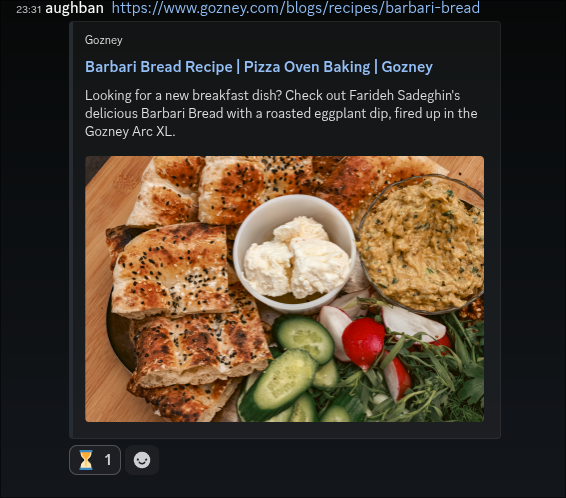
The bot provides feedback via emojis and eventually returns with a link to the processed content. The agent handles things like duplication detection to prevent the same thing being added twice.
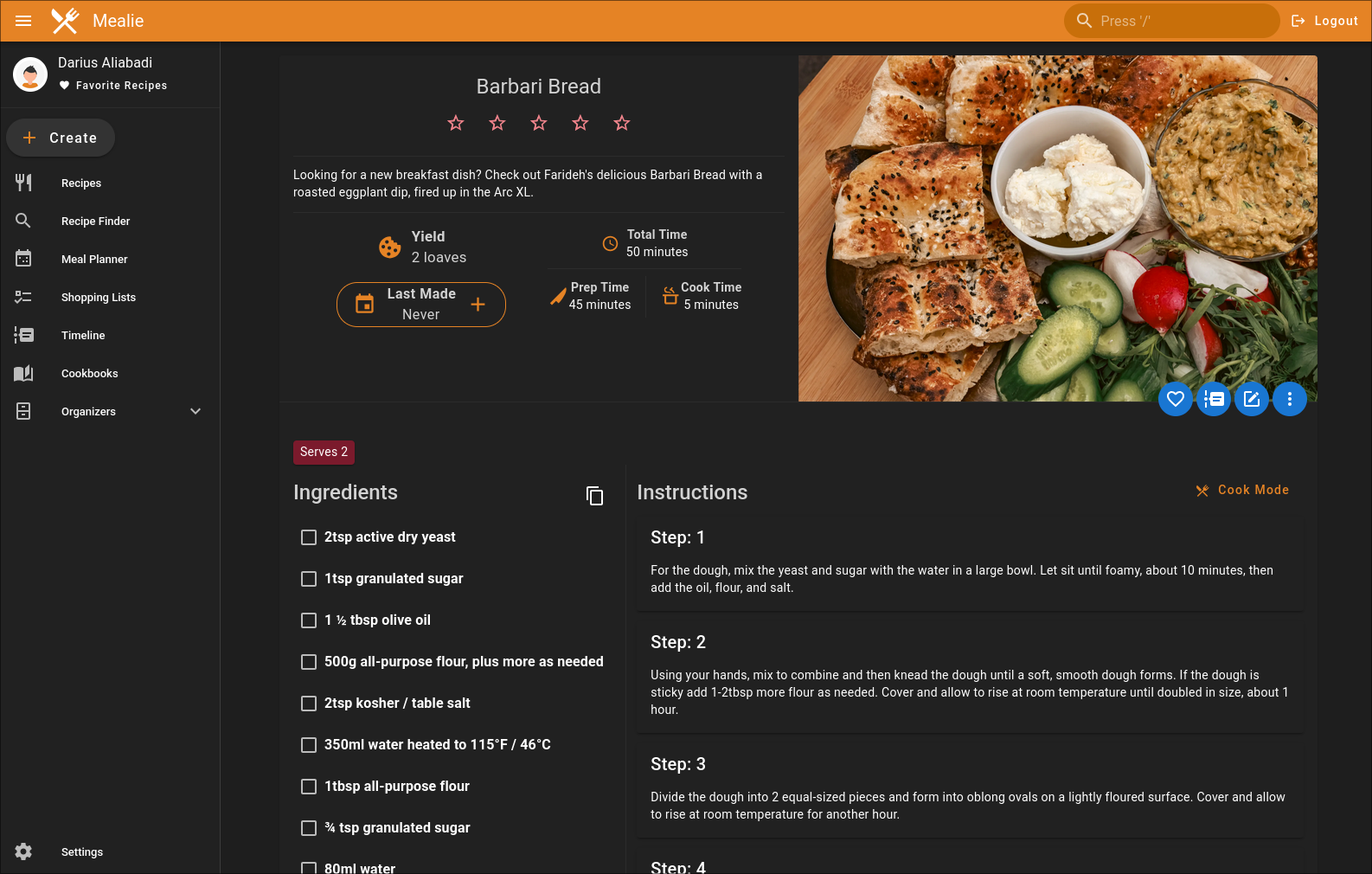
The agent populates the full recipe structure using the MCP server. There are improvements I want to make like using the sections for ingredients by dish functionality. The MCP server I wrote supports it but it’s a matter of prompt engineering.
What I’ve learnt so far
Building this has forced me to think about how you actually design MCP servers for AI. A lot of the ones I’ve seen are just REST wrappers, and I think in the rush to get something working people are building them in a way that just mirrors the underlying API. That’s why I’ve started building my own and using proxies that strip out tools I don’t need. The short version of what I’ve landed on:
- Task-Oriented Tool Design - Design tools around what users want to do, not around API endpoints. One
manage_recipestool with actions beats 8 CRUD tools. - Token Efficiency - Every tool definition gets loaded into every conversation. That’s a permanent tax on context. Keep it lean.
- Progressive Disclosure - Return the minimum by default, detail on request. I went from 387k tokens to 250 by showing summaries for success and diagnostics for failure.
- Response Design - Consistent structure across all tools. Separate metadata from content, include hints for the LLM about what to do next.
- Parameter Design - Smart defaults, minimal required fields, proper types. Reduce the number of decisions the LLM has to make per call.
- Server-Side Processing - Offload deterministic work to the server. Server CPU is cheap, LLM tokens are expensive.
- Log Section Parsing - Parse logs by semantic boundaries like workflow steps, not arbitrary line counts. Errors belong to the step that produced them, not to “lines 500-1000”.
- Smart Display by Status - Success shows a summary, failure shows error sections automatically. You often don’t need the LLM to follow up on a success, so don’t give it information it won’t use.
- Token-Aware Pagination - LLMs have context limits. Paginate responses with token budgets, not just page numbers, so the model gets as much useful data as possible without blowing the window.
- Session Resilience - Kubernetes pods restart. MCP sessions die. Build servers that handle reconnection gracefully.
I’ll come back and link these to dedicated pages. Expect a future post that goes deeper on MCP server design.